Rich text with the Textarea source
Textarea is the source Display Builder ships for authoring rich text
directly in a display. It is a CKEditor 5 widget bound to a text format the
module owns, display_builder_html.
It is the only authoring source the module adds. Everything else in the libraries comes from UI Patterns or from other modules. See Extend with source plugins for the full list of what Display Builder ships.
Where it shows up
Textarea targets the string and identifier prop types, so it appears in two
places:
- In the Config contextual panel, in the Source select of any
stringoridentifierprop. - In the Blocks library panel, because a
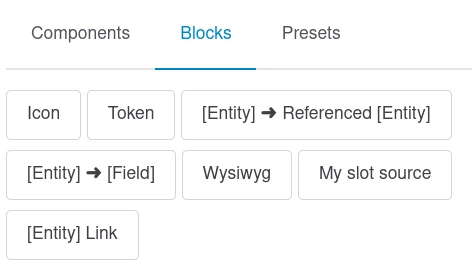
stringsource can also fill a slot through UI Patterns' string-to-slot conversion. Drop it in a slot to get a block of free rich text.
Note
UI Patterns' own Wysiwyg source is hidden from the Blocks library by default, superseded by Textarea. It is still installed, so a display that already stores it keeps rendering.
The editor
The editor is a standalone CKEditor 5 instance, not Drupal's
#type => 'text_format' element. Its toolbar is fixed and deliberately short:
| Group | Items |
|---|---|
| Text | Paragraph, Heading 2 to Heading 6, bold, italic |
| Link | Link, defaulting to the https:// protocol |
| Lists | Bulleted list, numbered list |
| Tools | Show blocks, Source editing |
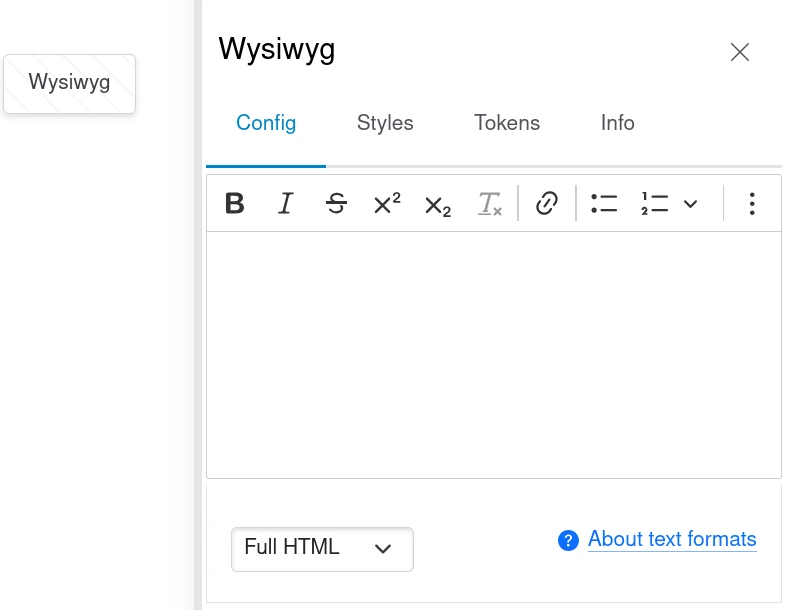
The Source editing button gives you the raw HTML, which the format filters on output like any other Drupal text.
Tokens are available: the token tree link under the field lists what the current context provides. Tokens are replaced before the text is filtered.
Why there is no format selector
#type => 'text_format' renders Drupal's format selector and attaches
editor.module's JavaScript, which only syncs its <textarea> back to the
DOM on a native form submit. HTMX never submits natively, so the value
would be lost. Display Builder instantiates CKEditor 5 itself and keeps the
<textarea> synced, which means one format for everybody rather than a
selector.
The display_builder_html text format
The format is shipped as optional configuration in
config/optional/filter.format.display_builder_html.yml, so it is created when
the module is installed alongside Drupal's Filter module. Text entered in a
Textarea is always run through it. There is no per-field choice.
It enables three core filters:
| Filter | Role |
|---|---|
| Limit allowed HTML tags and correct faulty HTML | The allowlist below |
| Correct faulty and chopped off HTML | Repairs unbalanced markup |
| Convert URLs into links | Turns a bare URL into a link, truncated at 72 characters |
Allowed tags, out of the box:
<br> <p class>
<a href hreflang class>
<em class> <i class> <strong class>
<ul type class> <ol start type='1 A I' class> <li class>
<h2 id class> <h3 id class> <h4 id class> <h5 id class> <h6 id class>
<drupal-icon data-icon-id data-icon-settings class role aria-label aria-hidden>
Anything else an author pastes or writes in source mode is stripped on output. That is the point: a display is built from components, and free text inside one should not be able to introduce its own structure or scripts.
Customizing it
The format is a normal text format. Edit it at
Administration > Configuration > Content authoring > Text formats and editors
(/admin/config/content/formats/manage/display_builder_html) to widen the
allowlist or add filters. The module never rewrites it after installation,
except once: a post update adds <br> and <p class> to a format created
by 1.0.0-beta8 or earlier, whose paragraphs ran together.
Two things to keep in mind:
- The editor toolbar is not derived from the format. Widening the
allowlist lets more markup survive on output, but adds no button. The
toolbar lives in
assets/js/textarea_ckeditor.js. - Do not delete or disable the format. See the fallback below.
If the format is missing
Display Builder checks the format on every Textarea it renders. If
display_builder_html is gone or disabled, the widget falls back to Drupal's
fallback format, drops the CKEditor instance, and shows the field as a plain
textarea with a warning:
Warning: Display Builder filter format is disable or missing, HTML markup will be escaped.
Existing content is not lost, but it renders escaped until the format is back.
Icons
When the UI Icons CKEditor 5 module (ui_icons_ckeditor5, from
UI Icons) is installed, the editor
loads its plugin bundle so a <drupal-icon> tag pasted into the text survives
round-trips between WYSIWYG and source mode, and previews live in the editor.
The format's allowlist already permits the tag.
Rendering that tag as a real icon on the front end is a separate step: add the
Embed icon filter (icon_embed, from ui_icons_text) to the
display_builder_html format. Without it the tag is allowed through but
nothing renders it.
Neither module is required. Without them the editor loads unchanged.
See also
- Extend with source plugins - Write your own source
- Single Directory Components - What props and slots a source fills
- Available islands - The Blocks library and Config panel