Instances overview
An instance is the working copy of one display. It holds what you are building right now, plus the history that undo and redo step through, whatever the display's published state is.
Instances are content entities (display_builder_instance), created
automatically the first time a display is opened in a builder. They are
revisionable: every change you make in the builder is a new revision.
One revision per change
Each builder action, dropping a component, moving one, changing a prop, saves a revision carrying:
| Field | What it holds |
|---|---|
sources |
The whole UI Patterns sources tree at that point |
hash |
A fingerprint of that tree, used to skip a no-op change |
revision_log_message |
What happened, e.g. Attach Textarea to slot col_1_content in Grid 1 column |
revision_user |
Who did it |
revision_created |
When |
The default revision is the present. Older revisions are the past, newer ones the future, and that is all undo and redo are: they move the default revision pointer, they never rewrite stored data. This is why the History dropdown can list past and future steps side by side, name their author and mark which one is published.
Two consequences worth knowing:
- Editing after an undo drops the future. Saving a new revision while the pointer sits in the past deletes every revision above it, the same way a text editor's undo stack behaves.
- History is capped at 20 past revisions. Beyond that the oldest is deleted whenever a new one is saved.
The list of revision authors is also what the real-time collaboration island reads to show who has touched the display recently.
Publishing does not add a revision
Publish writes the current sources to the permanent storage owned by the buildable plugin (configuration, or a content field for an override) and stamps the instance as published. It deliberately saves without a new revision, so publishing does not add a step you could undo, and the published step stays marked where it is in the history.
Restore and Revert do the opposite: each one loads sources back into the instance as a new revision, so both are undoable like any other change.
Display Builder compares the current fingerprint with the published one to know whether there is anything to publish. Equal fingerprints are what disables the Publish button and what the save status indicator reports.
Still temporary storage
Being real entities with revisions does not make instances permanent. They are:
- Not the source of truth. The published display is. An instance can be deleted without side effects; the next visit to the builder recreates it from what is published.
- Not synchronized between environments. They are content, not configuration, and there is nothing to export.
- Removed when the module is uninstalled.
Warning
Only what you published is stored permanently. Unpublished work and the revision history are not, and a module update can drop both. Until the module is stable, publish before updating.
Overview page
You need the display_builder_ui sub-module for
/admin/structure/display-builder/instances, which lists every instance with
its context, profile, the time of its last revision and that revision's log
message:
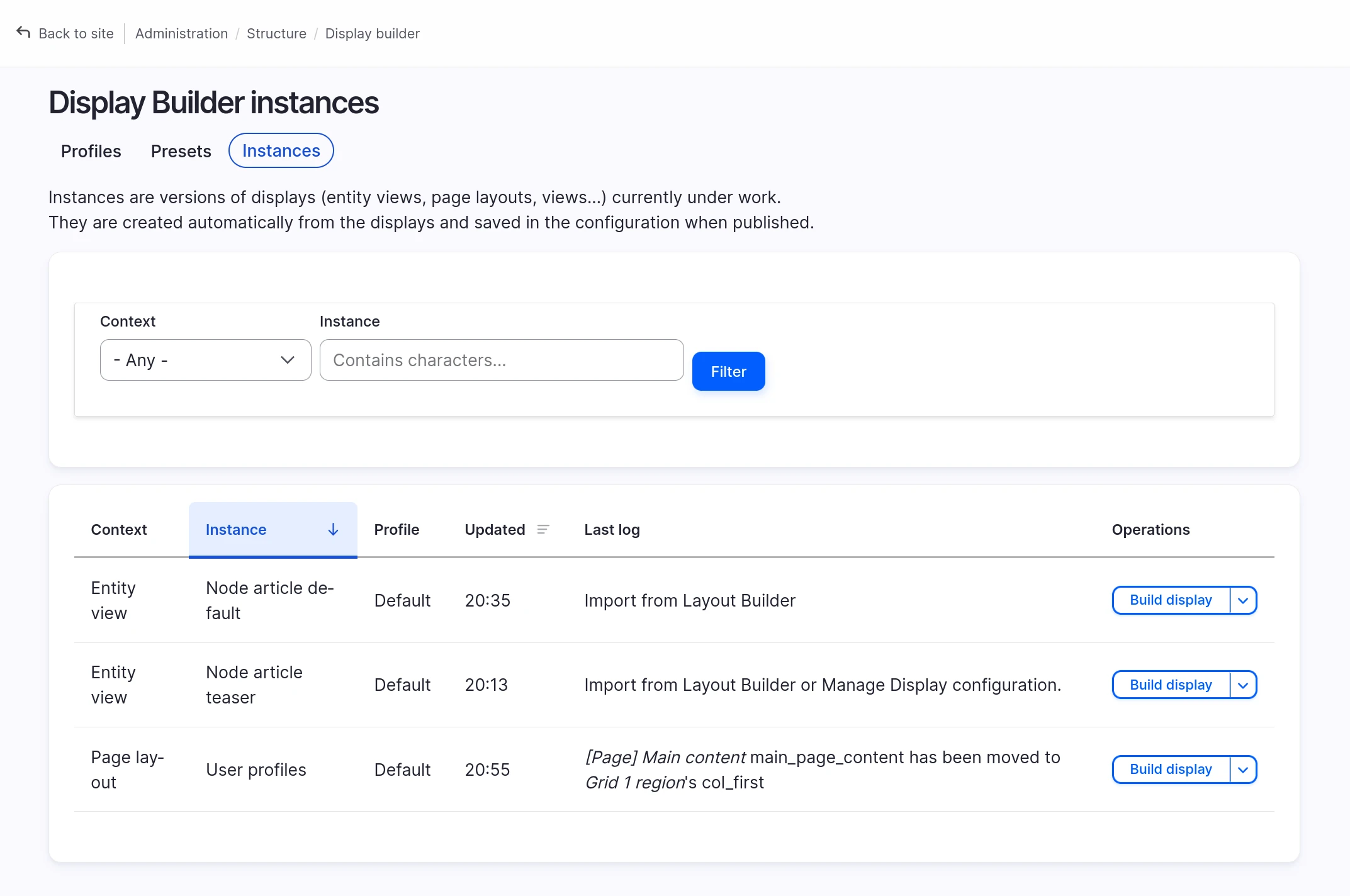
The Operations column links straight to the builder, and to the display's own admin page. Deleting an instance from here needs display_builder_dev_tools.
See also
- Update guide - How to handle module updates safely
- Available islands - The History and State toolbar buttons
- Display Builder profiles - Configure UI profiles
- Internals - Where a published display is stored