Configuring
You need display_builder_ui sub-module.
Permissions:
- "Administer display builder"
List of Display Builder profiles
/admin/structure/display-builder
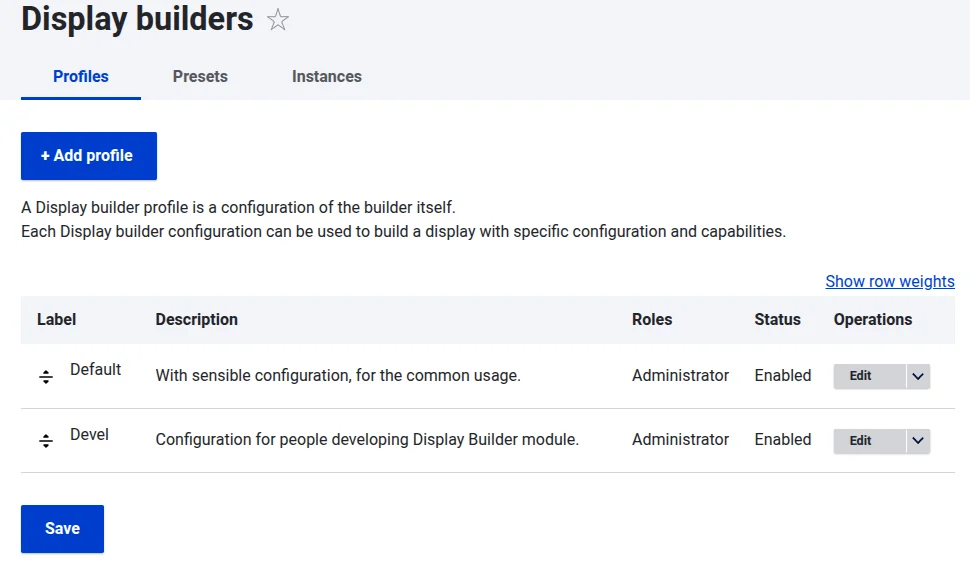
Configuration of a single Display Builder profile (config entity)
Each Display Builder profile is a configuration entity with:
- Metadata: a label and a description
- The islands configuration, by type
There are 5 type of islands:
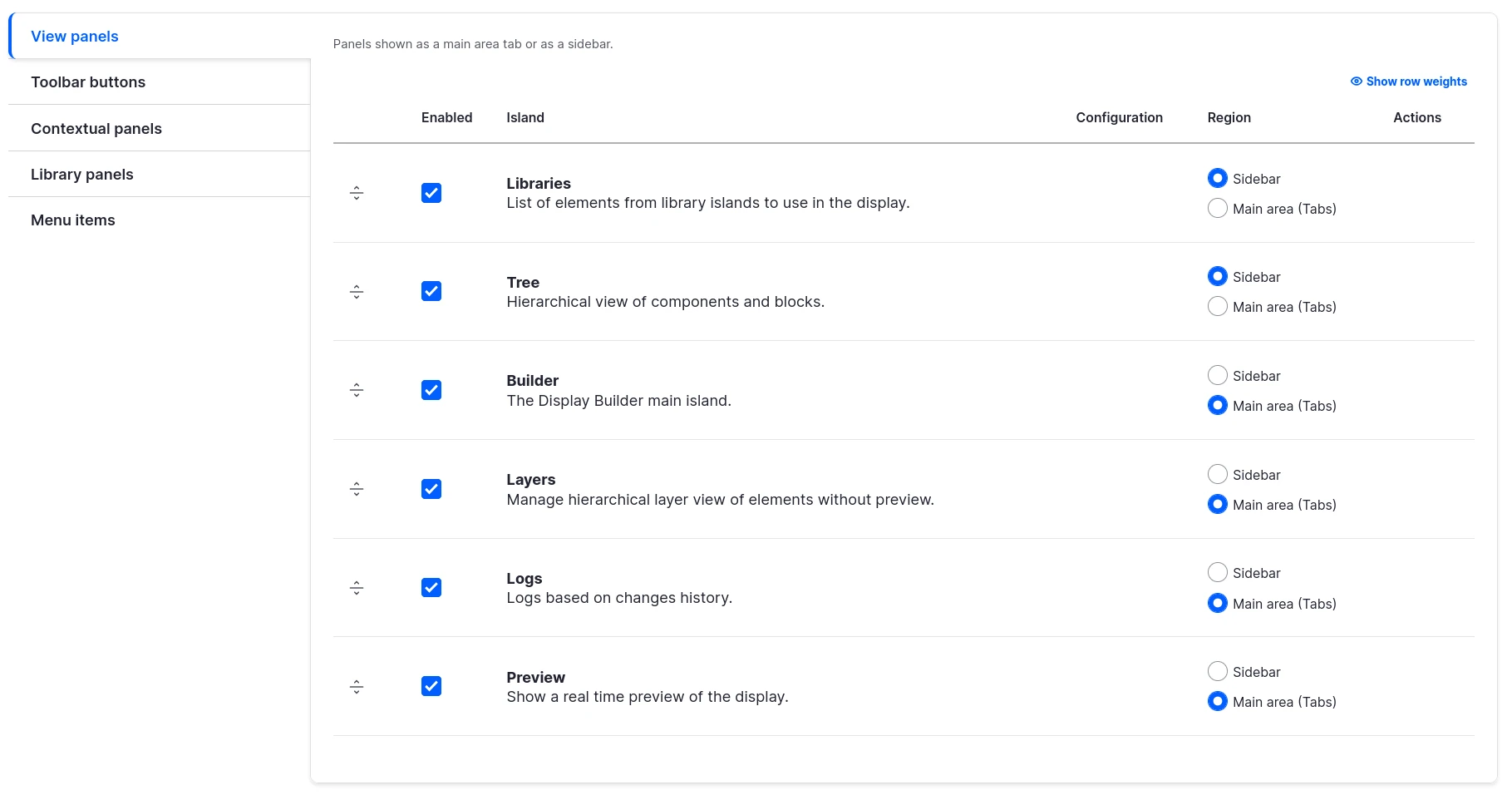
Viewpanels: They are displayed tabbed in the center of the toolbar, or as buttons in the start of the toolbarButtons: they are displayed as buttons in the end of the toolbarLibrarypanels: They are displayed tabbed into the Library View panelMenuitems: they are displayed in the contextual menu triggered with right-clickContextualpanels: They are displayed tabbed into the contextual sidebar
Visual positioning:
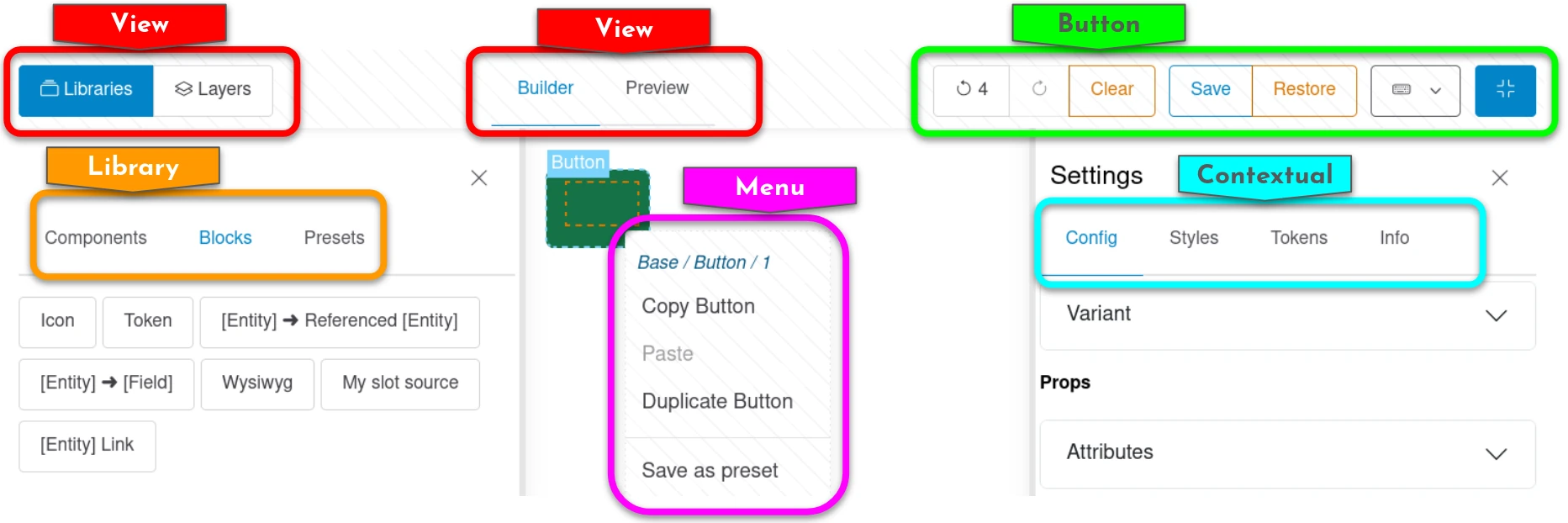
Each island can be:
- enabled or not
- ordered relatively to the other ones of a same type
- configured one by one
For example, here is the configuration of Toolbar buttons, where some are configurable:
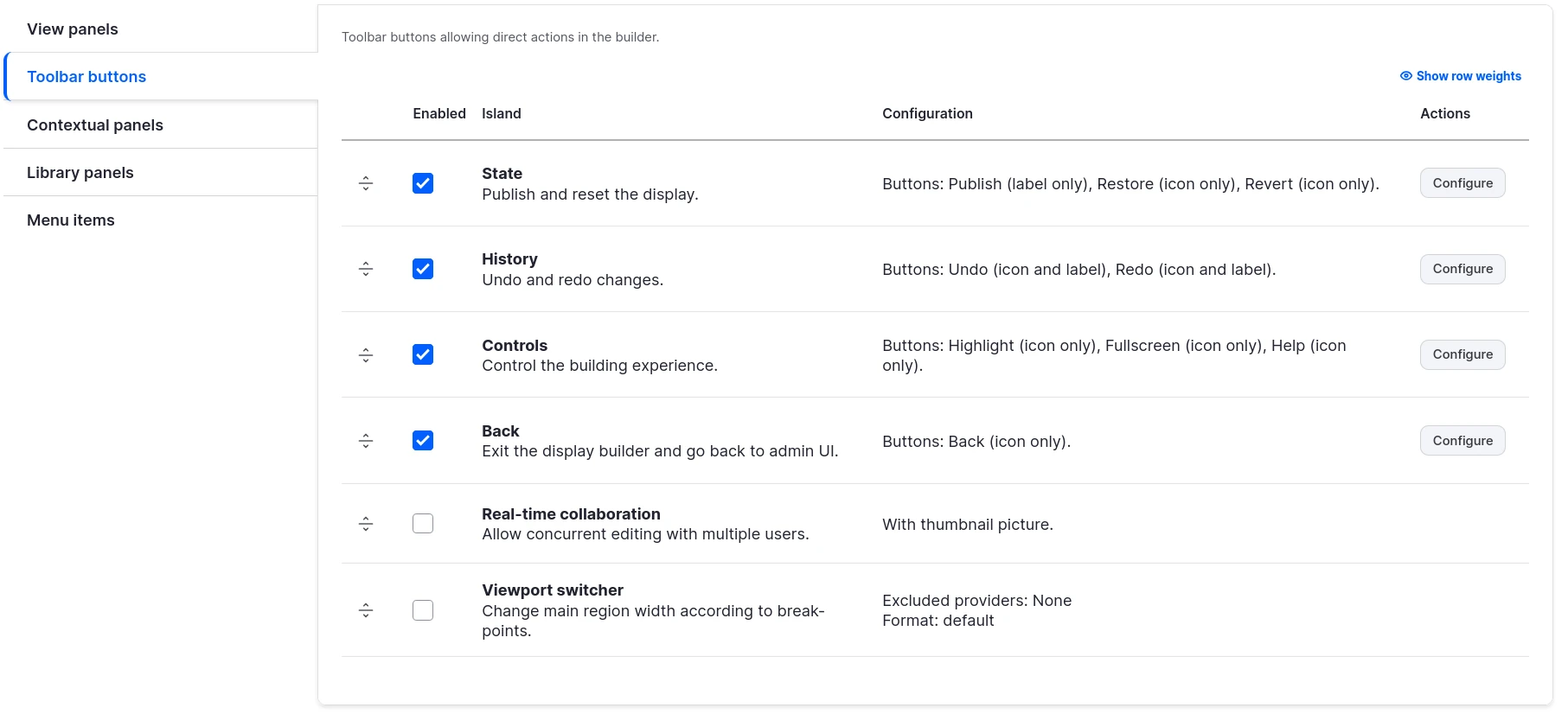
Configuration happens in a modal:
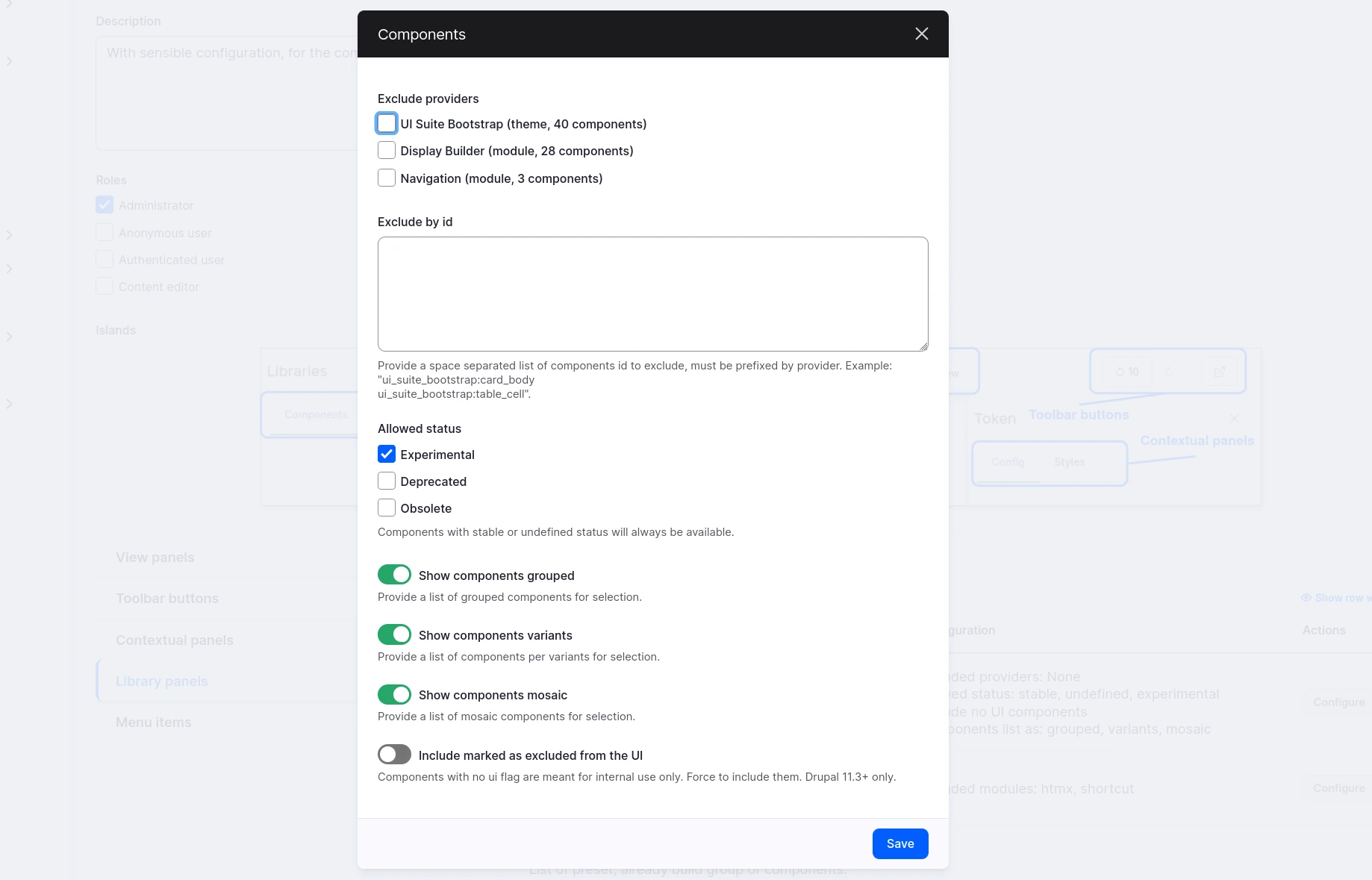
Some islands can be moved between 2 different regions. For example, View Panels can be:
- tabbed in the center of the toolbar
- or as buttons in the start of the toolbar
And Toolbar Buttons can be moved from one side to the other of the toolbar.
Access & permissions
Each Display Builder profile is associated to a permission:
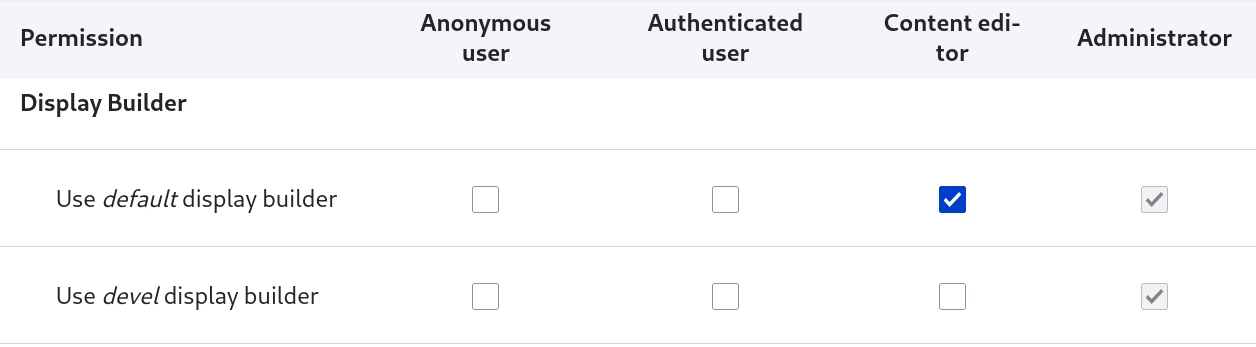
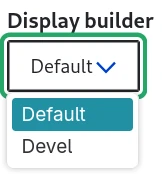
This is conditioning the builders available in the selector for a specific user:
See also
- Available islands - Learn about built-in UI islands
- Extend with island plugins - Create custom islands
- Entity displays - Example of Display Builder usage
- Page layouts - Another example of Display Builder usage