Use Display Builder for entity view displays
Display Builder provides a modern interface to replace Layout Builder and many related modules from its ecosystem. This section covers how to configure and use Display Builder for entity view displays.
Activate
You need display_builder_entity_view module.
Display Builder can be activated for each display, in the Display Builder fieldset:
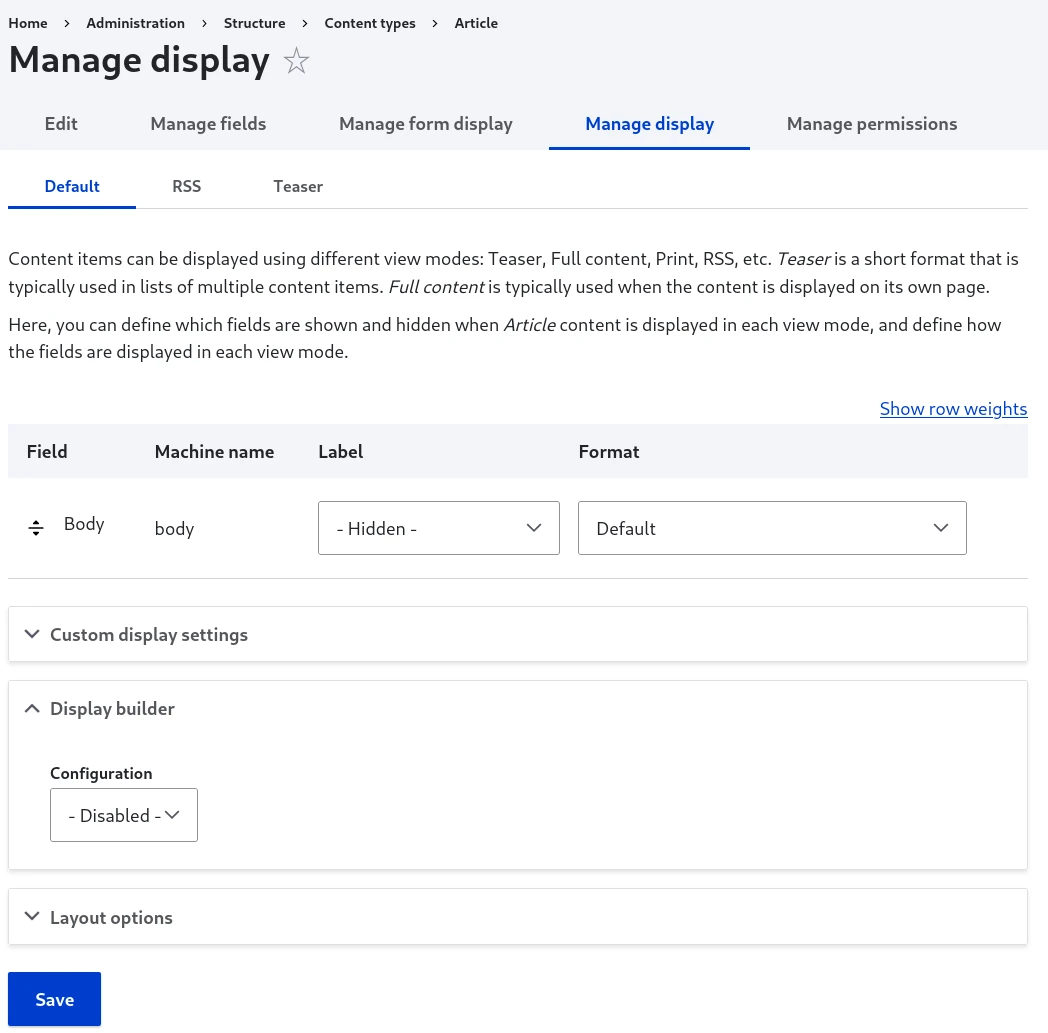
Usage
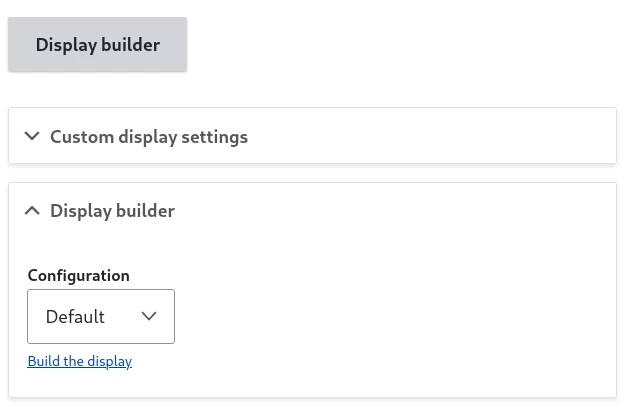
Once your Display Builder selection is submitted, you will have access to two links to the same builder:
- The big Display Builder button replacing the field formatter table
- Another button under the profile selector
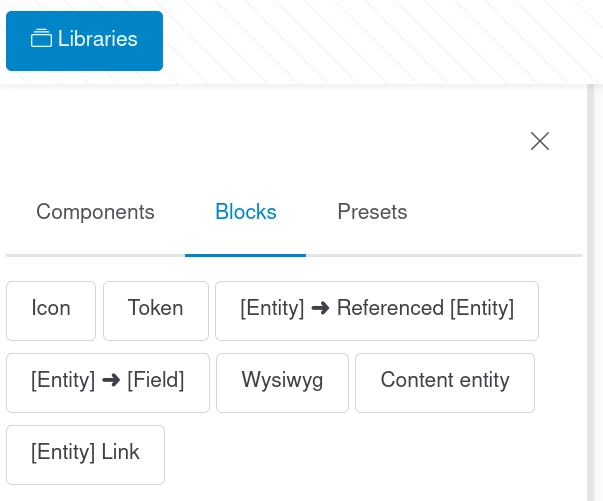
Slot sources specific to the Entity Display context will show up in the Block Library panel:
Display Builder is saving every state in the memory, but is not auto-saving to the configuration.
You can manually publish the current state in the configuration or restore the state currently published in the configuration:

Use with Layout Builder
Both can be activated at the same time and they don't conflict while building the display:
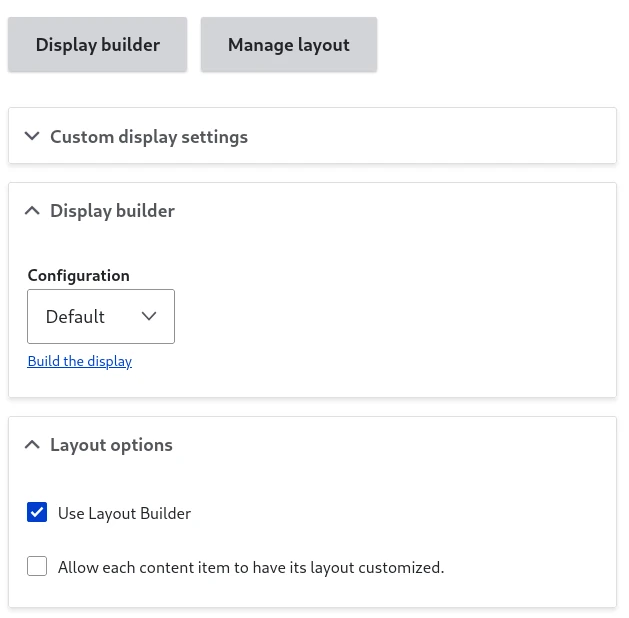
However, only one of the tool will be used to render the content.
Note
You can test Display Builder without removing Layout Builder. Both can coexist, allowing you to switch back if needed. Only one will be active for rendering at a time based on your Display Builder profile selection.